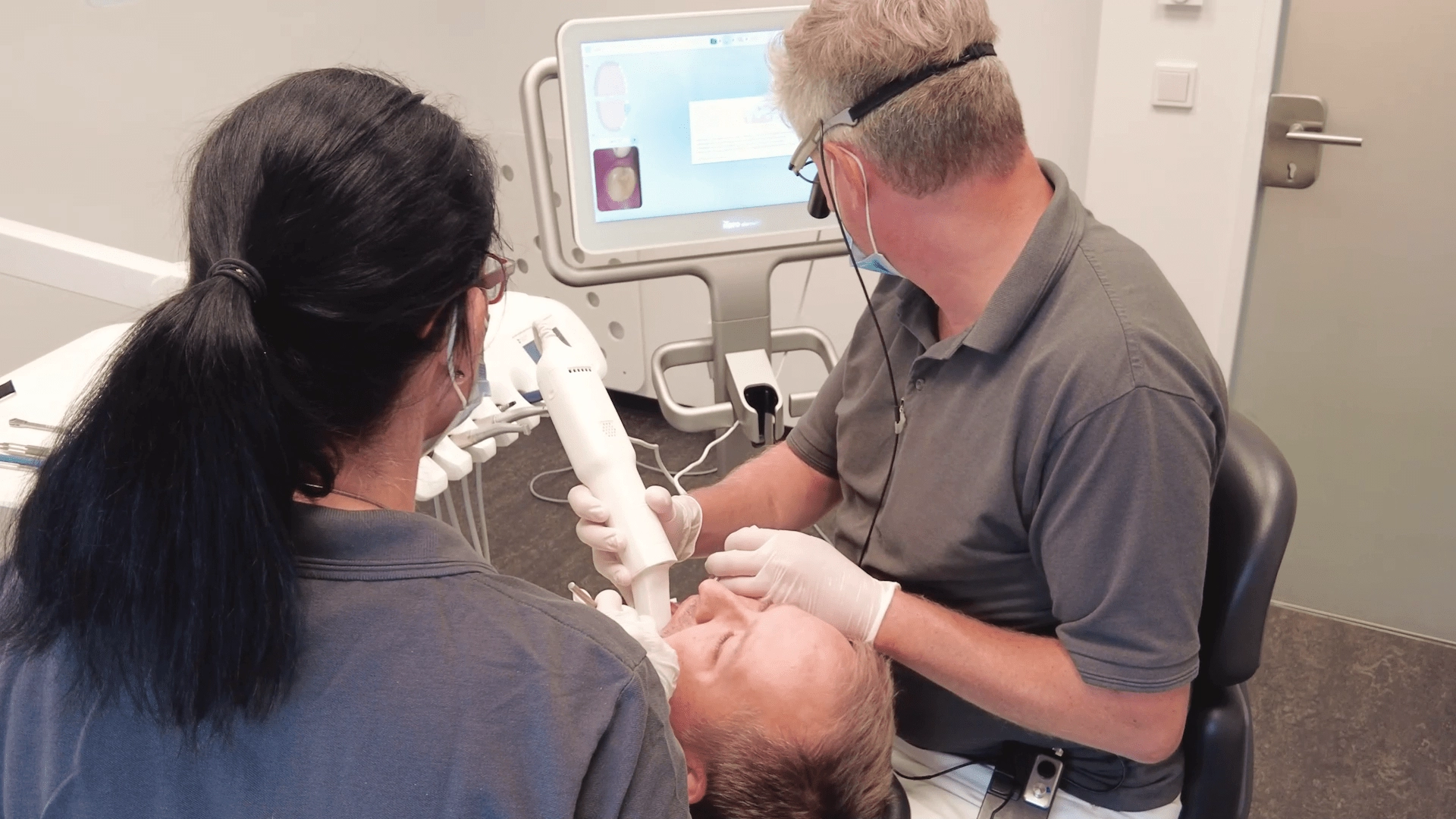
A digital impression is a three-dimensional virtual representation of a patient's teeth and surrounding oral structures created using an intraoral scanner.
Instead of taking a conventional impression with trays and silicone materials, the clinician scans the prepared teeth with a handheld optical scanner. Thousands of images are captured every second and automatically combined into a precise digital model.
The finished scan is usually exported as an STL (Standard Tessellation Language) file, the most common open format used in CAD/CAM dentistry.
Unlike conventional impressions, digital scans can be transferred immediately to the laboratory, eliminating physical shipping and several manual production steps.
How do intraoral scanners work?
Modern intraoral scanners use advanced optical technologies such as structured light or confocal imaging to record the surface geometry of the teeth.
During scanning, the software continuously stitches together thousands of images into a highly detailed digital model that can be inspected immediately.
If an area is incomplete, it can simply be rescanned without repeating the entire procedure.
This improves efficiency while reducing the likelihood of remakes.
Why are digital impressions becoming the standard?
Digital impression technology offers advantages for everyone involved in the restorative workflow.
For clinicians
For laboratories
For patients
As digital workflows continue to expand, intraoral scanning has become one of the most important building blocks of modern restorative dentistry.
Although conventional impressions remain clinically reliable, digital workflows simplify almost every step between patient and restoration.
Comparison overview
Feature | Digital Impression | Conventional Impression |
|---|---|---|
| Accuracy | Highly consistent | Operator-dependent |
| Patient comfort | Excellent | Moderate |
| Treatment time | Short | Longer |
| Laboratory workflow | Fully digital | Multiple manual steps |
| Data transfer | Instant | Physical shipping |
| Storage | Digital archive | Physical models |
| CAD/CAM integration | Direct | Model must be scanned |
Accuracy
Modern intraoral scanners deliver highly accurate digital models suitable for single crowns, bridges, implant restorations and many full-arch applications.
An important advantage is immediate verification. Missing areas are detected during scanning and corrected while the patient is still in the chair.
With conventional impressions, errors such as air bubbles or material distortion are often discovered only after the model has been poured, requiring another patient appointment.
Patient comfort
Conventional impressions can be uncomfortable, particularly for patients with a sensitive gag reflex.
Digital impressions eliminate:
Scanning is generally faster and significantly more comfortable.
Laboratory efficiency
Digital impressions simplify laboratory workflows considerably.
Instead of receiving a physical impression, technicians receive an STL file that can be imported directly into CAD software.
This eliminates several traditional steps:
The result is a faster and more efficient production process.
Digital impressions represent the first step in a fully digital production chain.
Rather than functioning as an isolated technology, they seamlessly connect clinical treatment with laboratory manufacturing.
A typical digital workflow consists of five stages:
Because every step builds directly on the previous one, unnecessary conversions and manual processes are eliminated.
Step 1: Digital scan
After tooth preparation, the clinician scans:
Within minutes, the complete case is available digitally.
Step 2: STL file transfer
The completed scan is exported as an open STL file.
Open file formats offer important advantages:
The STL file is then securely transferred to the dental laboratory.
Step 3: CAD design with icam
The laboratory imports the STL file into icam CAD software.
The restoration is designed digitally using tools such as:
Because the scan data is already digital, no additional model scanning is required.
Step 4: Manufacturing with coritec
After the restoration has been designed, the CAM software generates the machining strategy.
The production file is transferred to a coritec milling machine, where the restoration is manufactured from the selected material.
Typical materials include:
Once milling is complete, the restoration proceeds to the appropriate finishing stage, such as sintering, crystallization or polishing.
One of the biggest advantages of digital dentistry is the ability to produce high-quality restorations within a single patient visit. By combining an intraoral scanner, CAD software and an integrated milling system, clinicians can complete selected restorations without involving a traditional laboratory workflow.
This concept—commonly referred to as chairside dentistry—reduces treatment time while maintaining the precision and quality expected from modern CAD/CAM restorations.
A compact solution such as the coritec ONE combines scanning, design and manufacturing into an efficient digital workflow, making same-day dentistry accessible for many practices.
A typical chairside workflow
The following example illustrates how a single crown can be produced chairside in approximately 90 minutes.
Step 1: Digital impression
The dentist scans the prepared tooth, opposing dentition and bite registration using an intraoral scanner.
The digital impression is reviewed immediately and exported as an open STL file.
Time: 5–10 minutes
Step 2: CAD design
The STL file is imported into icam CAD software, where the restoration is designed.
Modern CAD tools support the workflow with features such as:
After a final review, the restoration is approved for production.
Time: 10–15 minutes
Step 3: Milling
The restoration is transferred directly to the coritec ONE milling system.
Depending on the selected material, the machine automatically mills the restoration with high precision.
Common chairside materials include:
Time: 10–25 minutes
Step 4: Finishing
After milling, the restoration undergoes the required post-processing.
Depending on the material, this may include:
The restoration is then tried in, adjusted if necessary and adhesively bonded or conventionally cemented.
Time: 20–40 minutes
Why chairside workflows are becoming more popular
Chairside CAD/CAM systems offer advantages for both clinicians and patients.
Benefits for dental practices
Benefits for patients
For practices focused on single-unit restorations, chairside production has become an attractive addition to conventional laboratory workflows.
Modern CAD/CAM workflows rely on seamless communication between scanners, software and manufacturing systems.
One of the major advantages of the imes-icore ecosystem is its support for open STL workflows. Instead of requiring a proprietary scanner, imes-icore milling systems are designed to integrate with many leading intraoral scanners that export open STL files.
This gives laboratories and dental practices greater flexibility when selecting digital impression systems.
Why open STL compatibility matters
Open file formats offer several advantages:
For dental laboratories receiving cases from multiple practices, open STL support simplifies daily production and minimizes compatibility issues.
Compatible intraoral scanners
The following scanners are commonly integrated into open STL workflows with imes-icore CAD/CAM systems.
Intraoral Scanner | Open STL Export | Typical Applications |
|---|---|---|
| Medit i-Series | ✔ | Crowns, bridges, implant restorations |
| 3Shape TRIOS | ✔ | Restorative and implant dentistry |
| SHINING 3D Aoralscan | ✔ | General restorative workflows |
| Alliedstar | ✔ | Digital restorative dentistry |
| Panda Scanner | ✔ | Crown and bridge workflows |
| Runyes 3DS | ✔ | Restorative applications |
| DEXIS IS Series | ✔ | Restorative and implant workflows |
| CEREC Primescan* | STL export available depending on software configuration | Chairside and laboratory workflows |
*Please verify STL export functionality with the scanner manufacturer, as availability may vary depending on software version and licensing.
Because the workflow is based on open file formats, laboratories can efficiently process cases from multiple scanner brands without changing their production process.
Digital laboratories increasingly collaborate with practices using different scanner systems.
An open workflow enables all incoming cases to follow the same production chain:
Digital Scan → STL File → icam CAD → CAM Software → coritec Milling → Finished Restoration
Standardized workflows improve:
As laboratories continue to digitalize, openness has become just as important as machine performance.
Conclusion
Digital impressions have become the foundation of modern restorative dentistry. Compared with conventional impression techniques, they simplify communication, improve patient comfort and integrate directly into digital manufacturing workflows.
By combining intraoral scanning with open STL files, icam CAD software and coritec milling systems, dental laboratories and practices can establish an efficient end-to-end CAD/CAM workflow—from data acquisition to the final restoration.
Whether used in a laboratory environment or as part of a chairside workflow with the coritec ONE, digital impressions help reduce turnaround times, improve manufacturing consistency and support a more flexible approach to digital dentistry.
FAQ
Are digital impressions more accurate than conventional impressions?
Modern intraoral scanners provide highly accurate digital models that are suitable for most restorative indications. They also allow clinicians to verify scan quality immediately, reducing the risk of remakes caused by incomplete or distorted impressions.
Which intraoral scanners work with imes-icore milling systems?
imes-icore supports open STL workflows and is compatible with many leading intraoral scanners, including Medit, 3Shape TRIOS, SHINING 3D, Alliedstar, Panda Scanner, Runyes and selected DEXIS and Primescan workflows that provide STL export.
Can digital impressions be used for implant restorations?
Yes. Digital impressions are widely used for implant-supported restorations, provided the appropriate scan bodies and validated digital workflows are used.
Do digital impressions completely replace conventional impressions?
Not in every clinical situation. While digital impressions have become the preferred choice for many restorative treatments, conventional impressions may still be indicated for certain complex clinical cases or where digital scanning is not feasible.